
Go to https://creativecloud.adobe.com/apps/all/desktop, select Continue with Google, and sign in with your Léman Google account.
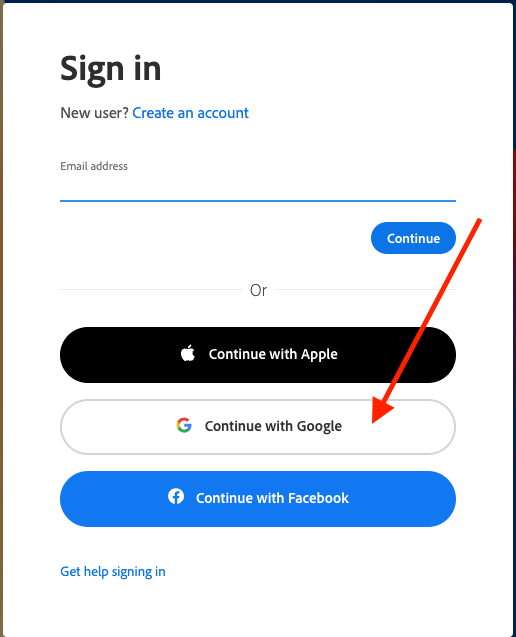
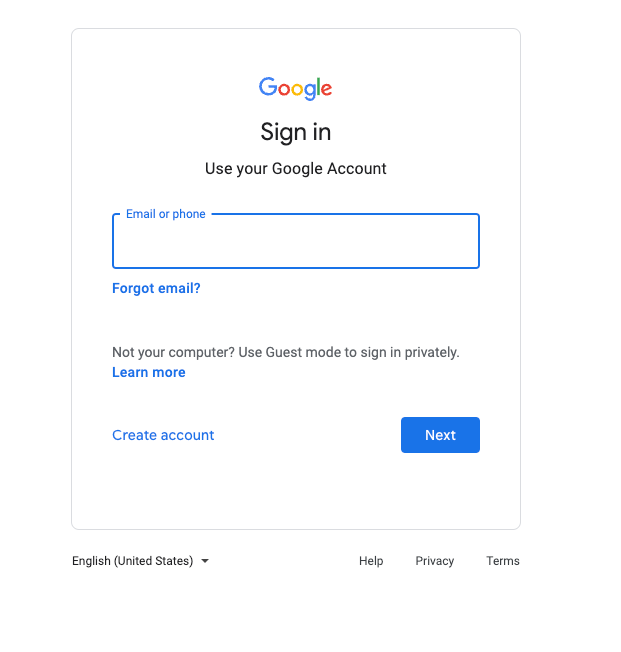
If you are already signed into Google, you will be automatically redirected to the Creative Cloud website.
If you are not signed into Google, you will be prompted to sign in with your Léman Google email and password.
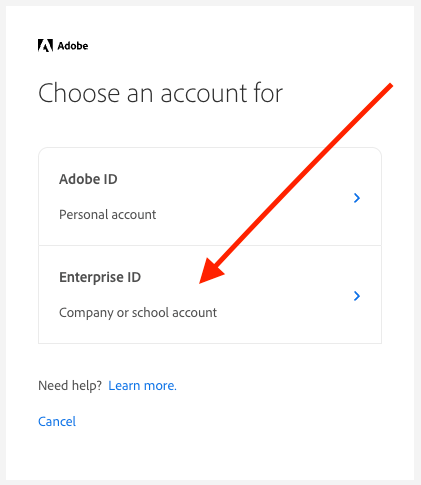
After you login, in the next step select the Enterprise ID option, and then agree to the Terms of Use.
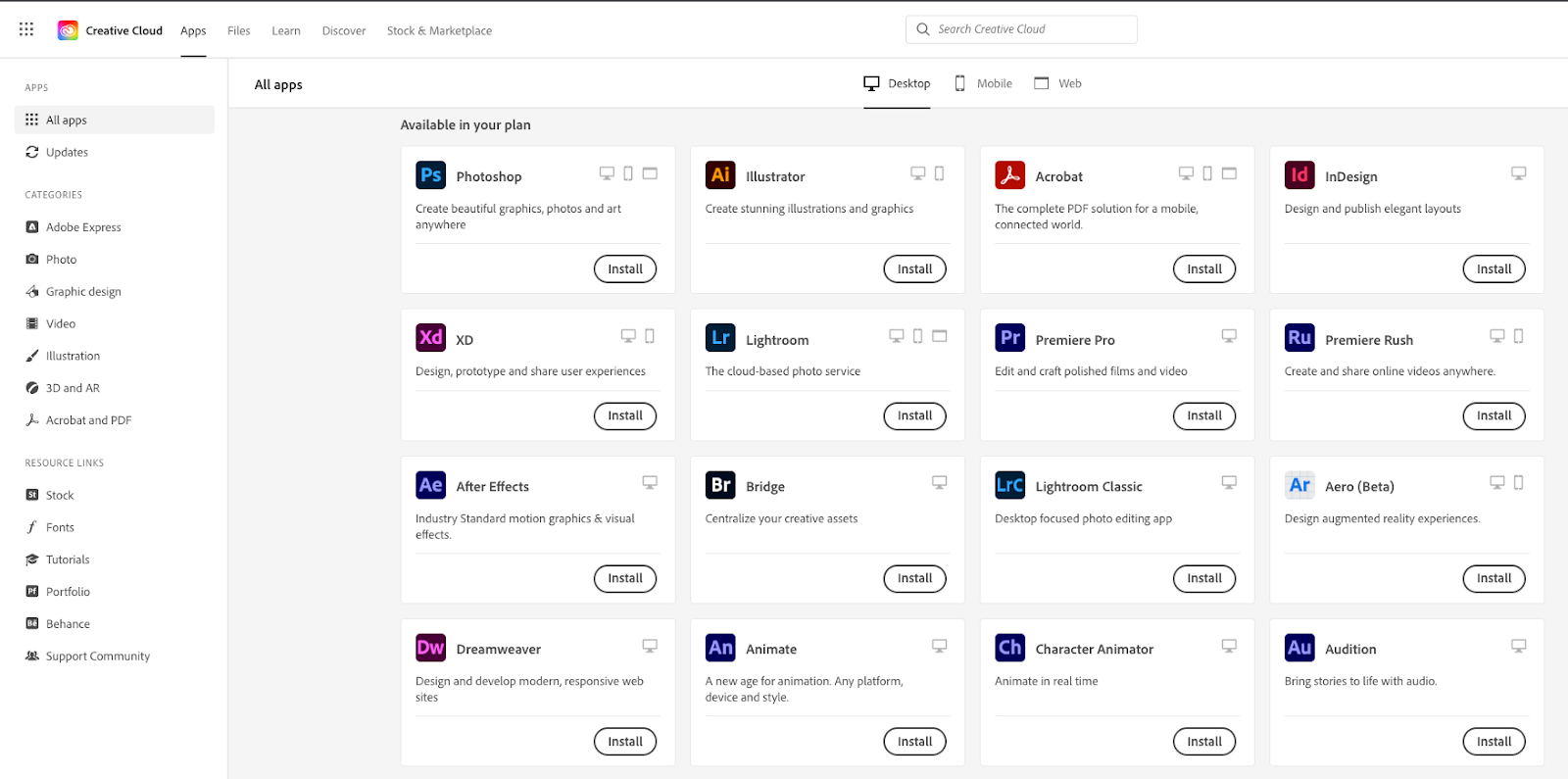
Once logged in, find and install the App you need.
If you have any issues with this process, please contact tech@lemanmanhattan.org to set up a time to troubleshoot with a member of the team.
Was this article helpful?
That’s Great!
Thank you for your feedback
Sorry! We couldn't be helpful
Thank you for your feedback
Feedback sent
We appreciate your effort and will try to fix the article